 Scratch ADR
Temp ADR on your Mac No cloud, no uploads
Generate temp dialogue from a reference clip, in the standalone app, or right inside Avid Media Composer.
Built by an editor for editors
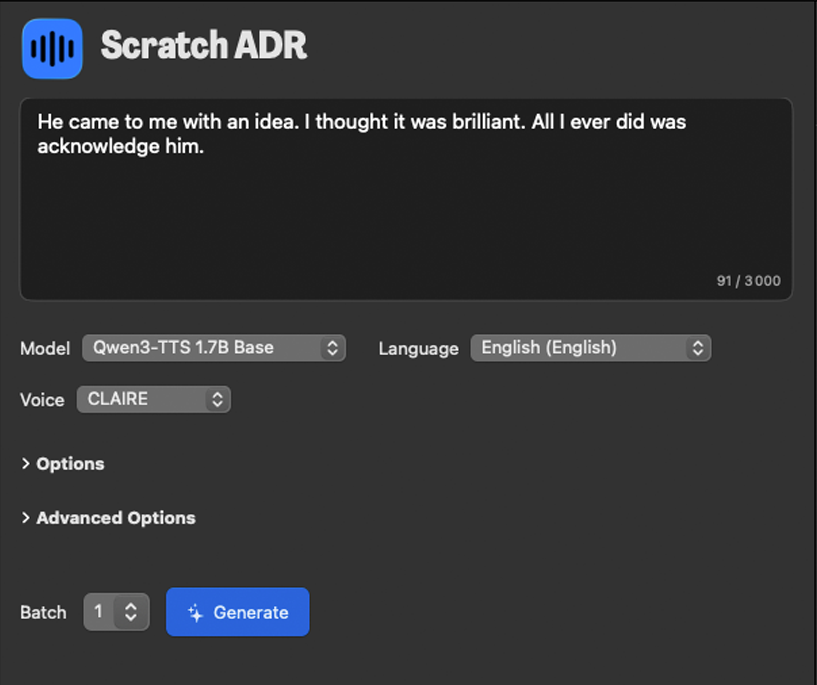
Temp dialogue generation
Type your dialogue and generate.
Batch generate multiple takes for different reads.
Models tuned for speed and editorial quality.
Many languages supported.
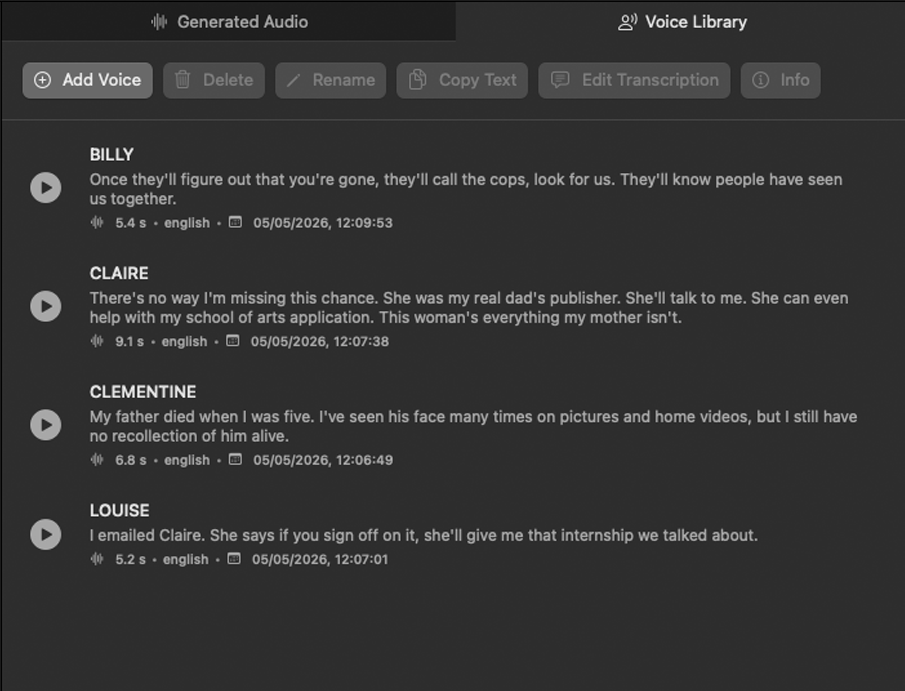
Voice Library
One place for every role reference.
Import a short reference clip from your project's talent and generate temp takes that match that performance for editorial preview.
For temp cuts and previews, not final delivery.
Each reference is ready when you need it.
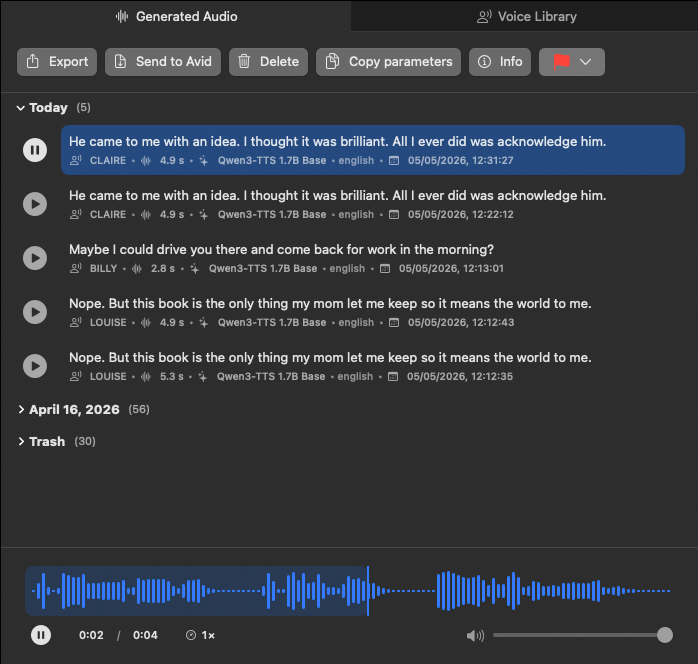
Generated Audio
Your takes, grouped by day.
Scrub like in your NLE, flag, export to your folder.
One tab to play, pick, and move on.
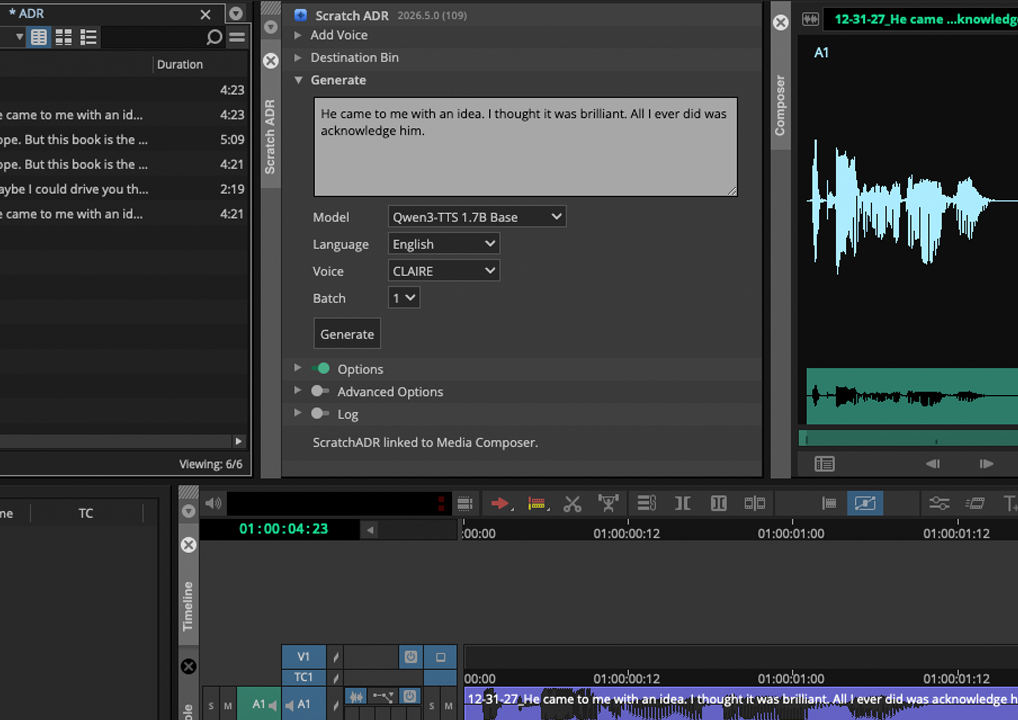
 Avid Media Composer extension
Generate temp ADR without leaving Avid Media Composer.
The Scratch ADR panel sits next to your timeline.
Type the line, pick a voice, hit Generate, and takes appear in your bin.
No round-trip, no export dance.
Scratch ADR Public Beta
Free 30-day license by email.
No credit card required.
Public beta signup is not open yet. Check back soon.
Responsible use
Scratch ADR is a professional post-production tool. Use it accordingly:
- For temp ADR and editorial workflow in film, TV, and post-production.
- Only reference audio from people who have consented to that use.
- Output is for cuts and previews, not to replace final ADR or mislead audiences.
- Processing runs locally on your Mac; reference audio is not uploaded to our servers.
Contact
Questions about Scratch ADR? Send a message and we'll get back to you.